What lies ahead — 03
Cyberpunk mode: anatomy of a creativity outburst
Some projects start with a brief. This one started with a feeling. In two days, the calm, glassy MP13 site grew a second personality: a neon, glitching, heads-up-display Cyberpunk mode. Here is how it happened, what went wrong, and why every studio needs the occasional creativity outburst.
01
Press the yellow button
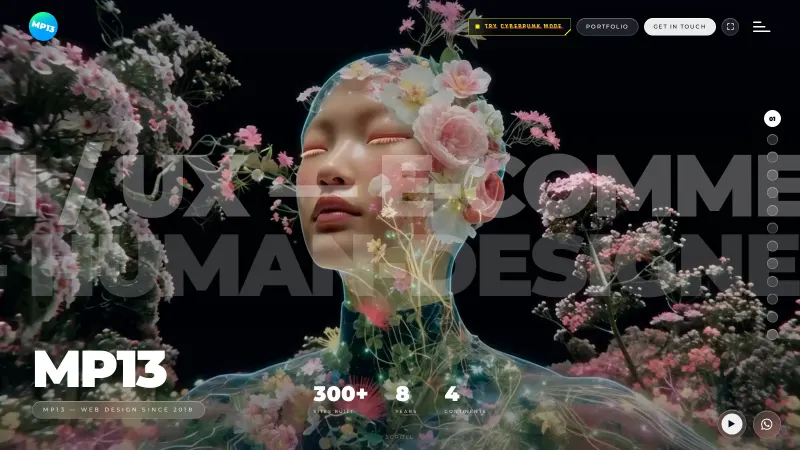
At the top of every page on this site there is a small yellow tag that flickers now and then: Try Cyberpunk Mode. Press it and the site jacks in. A short boot sequence runs, the glass disappears, and everything about the page changes except where things are.
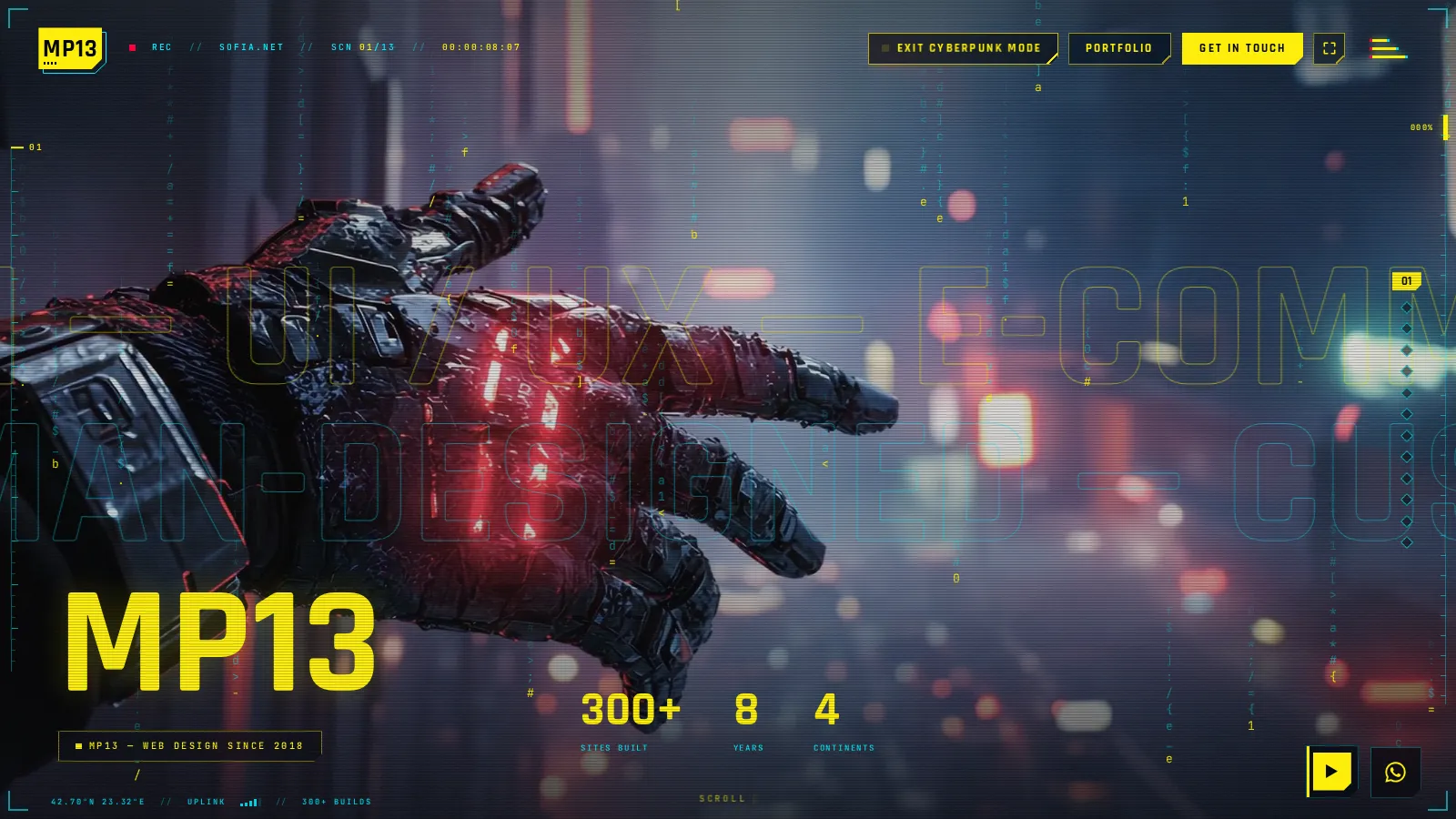
The fonts turn narrow and technical. Headlines go electric yellow and decode out of a scramble of symbols before they settle. Scanlines and grain roll across the footage. A heads-up display frames the screen with a recording light, a running timecode and the coordinates of Sofia, while thin rulers track where you are on the page. The films change too, all thirteen of them, to neon cities, rain and chrome. The site remembers your choice, so the next page opens the same way.
It is the same website. Every word, every link and every layout is identical. Only the soul has changed.
02
Where it came from
I am a huge fan of the genre: Cyberpunk 2077, Edgerunners, the whole neon-noir world. I had already flirted with it in my own work.
Behub is designed as a paper terminal. It boots like a machine, prints a build hash, logs its own process and marks every step as [ ok ], and the background of behub.dev is alive with falling code.
World Wide Stunts is built like a film set. It opens on a systems check, rig integrity, harness load, medic standing by, and frames every section with camera overlays, a timecode and a live UTC clock.
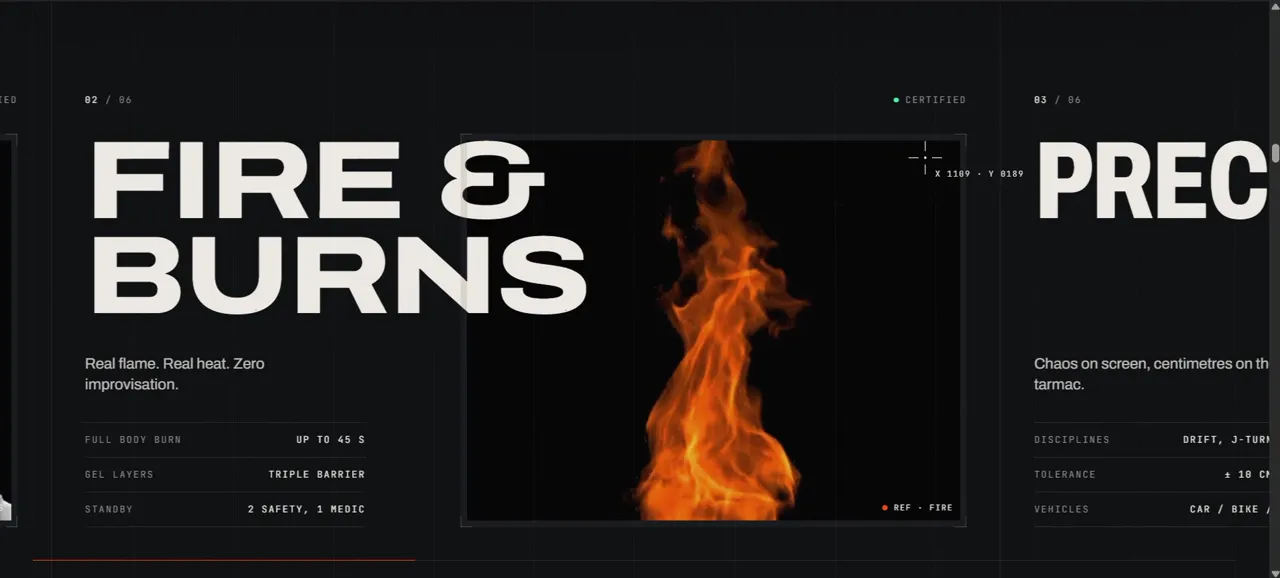
So when I asked one evening whether we could achieve "the cool, immersive and very funky effect of Cyberpunk" on MP13 itself, I already knew what I loved: the HUD of one site, the code rain of the other, glitches, scanlines and a typeface with an edge. What I didn't know was whether it could be done without tearing the site down and starting again.
03
Same layout, different soul
That became the first rule. A skin, not a redesign. The homepage keeps its thirteen scenes, the portfolio keeps its rows, the project pages keep their sections. Only the surface changes.
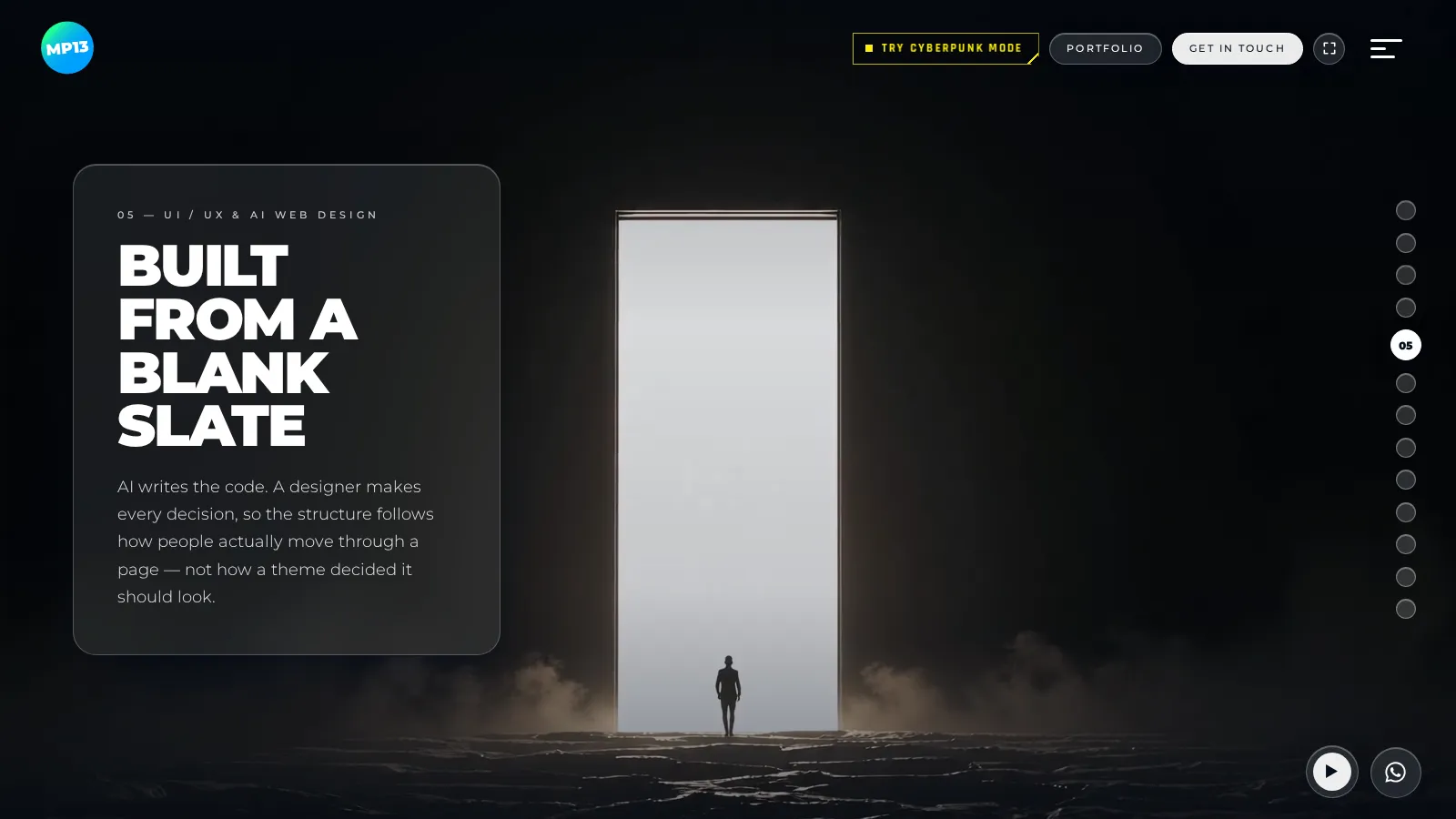
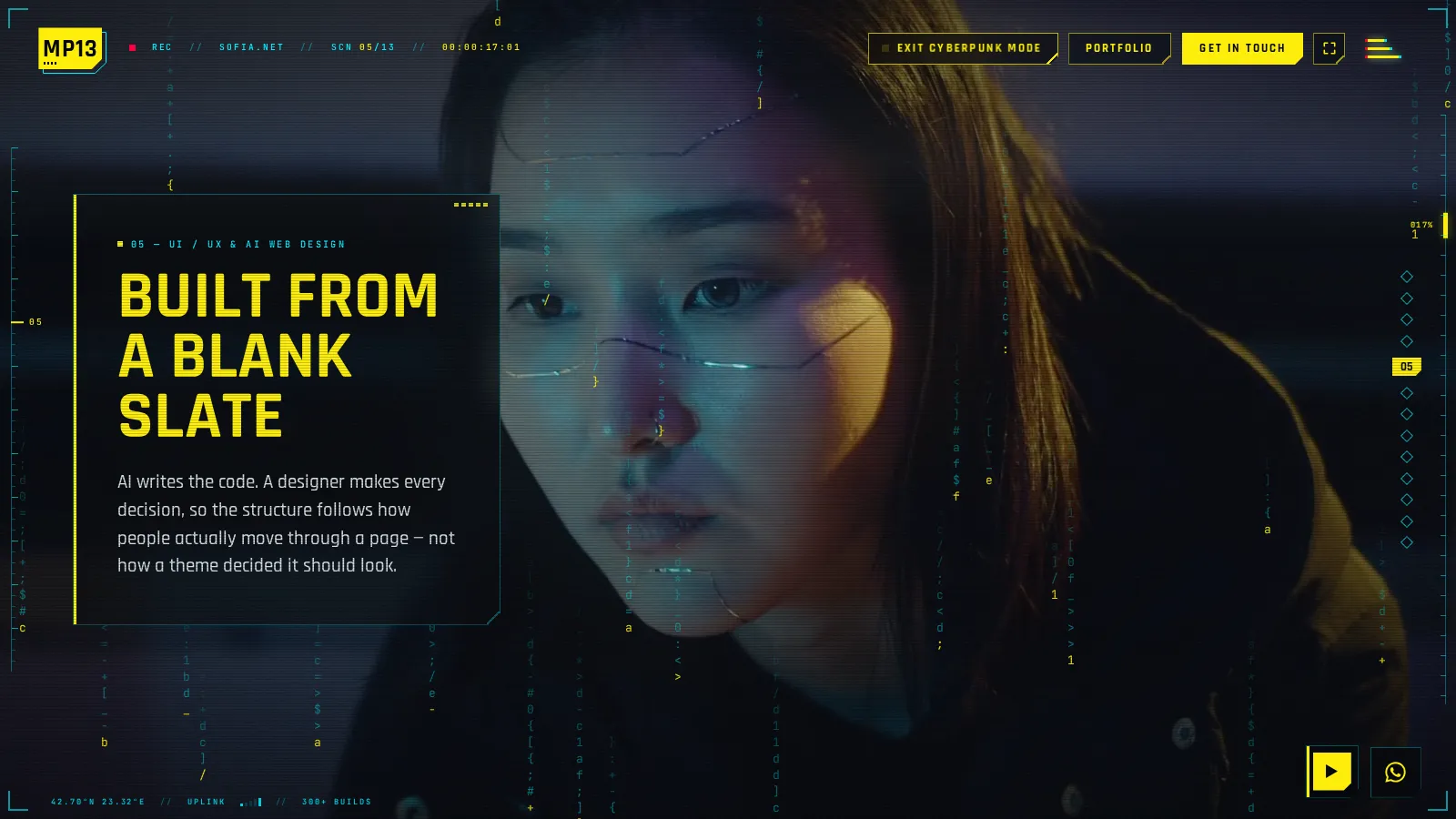
Technically, the whole Cyberpunk look lives behind one switch and one stylesheet that only applies while the switch is on. For a returning visitor, it loads before the first paint, so the calm version never flashes first. Turning it off removes every trace: every effect, every listener, every swapped film. It is designed to be added to, too. Cyberpunk is the first skin. It doesn't have to be the last.
The palette came with rules of its own. Yellow is the signature, cyan the secondary voice for instruments and labels, and red appears only inside glitches, never as a colour you can rely on. Every panel and button loses its rounded corners and gets one corner clipped off on the diagonal, the shape language of the genre. Headlines use a narrow technical typeface; every label, readout and number uses a monospace, like an instrument panel.
04
The HUD
I love HUD elements. Love them. They make everything immersive, so the HUD got the most attention.
Around the edges of the screen sit corner brackets, a blinking recording light, the scene number, a running timecode, and the coordinates of Sofia with a small uplink signal. A ruler runs down the left edge with a marker that follows your scroll. On the right, the browser's own scrollbar is replaced with one that looks like an instrument, with a percentage readout beside it. On phones the rulers shrink to hairlines along the edges, and the percentage sits under the header.
The menu became a full-screen pause menu, as if you had paused a game. Huge numbered links fill the left side; on the right, a status panel shows the studio's location, a live Sofia clock, the uplink, the number of builds shipped and the year we went online. It switches on and off like an old CRT screen.
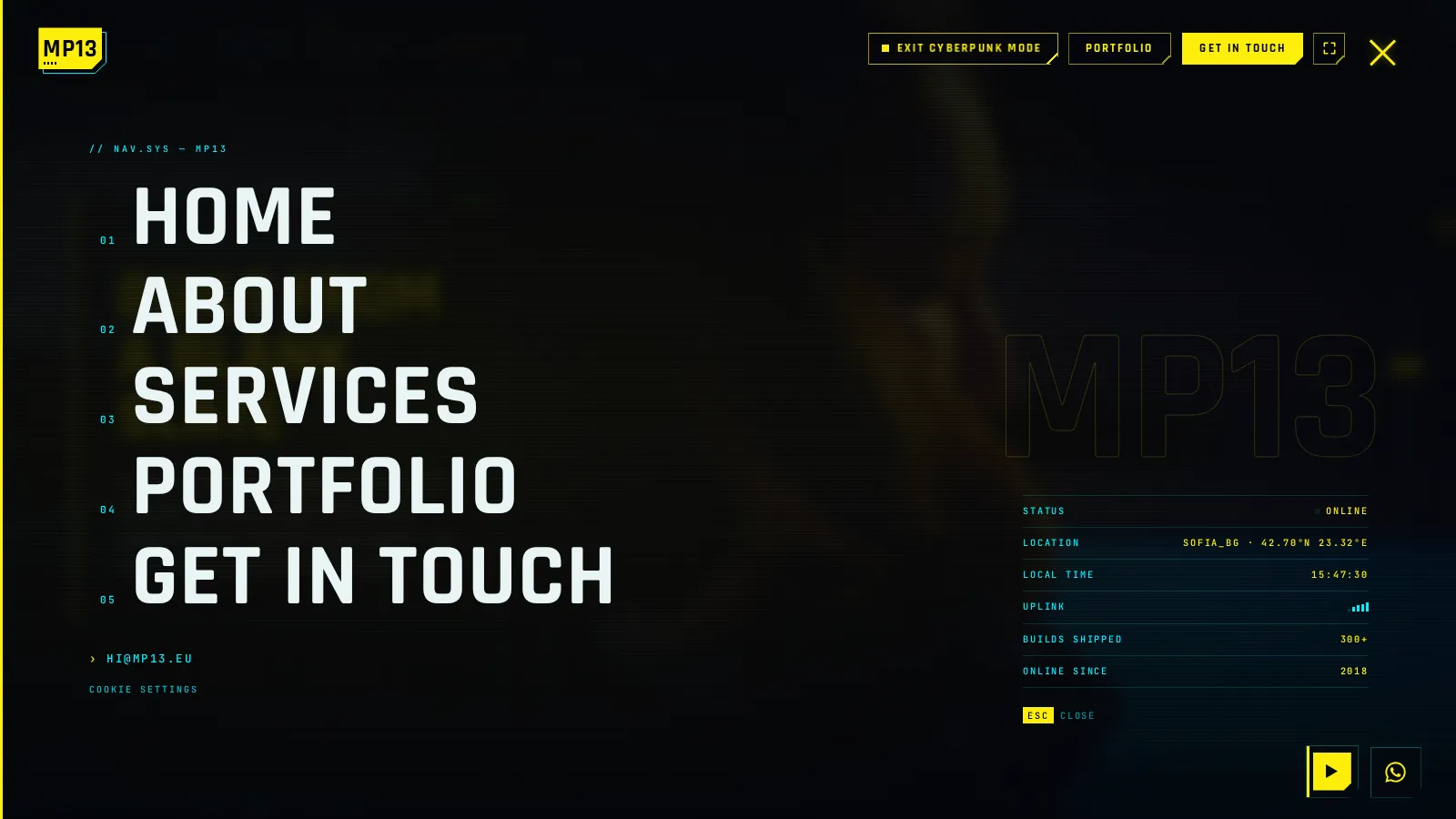
The decoding effect started in that menu. Each link resolves out of a scramble of symbols before it settles into the word. I liked it so much that it spread to every yellow heading on the site: the big MP13 on the homepage, the section titles, the project names, the moving lines of type. Each one decodes the first time it comes into view. It took one more detail to get right: proportional letters change width while they scramble, so each heading holds its final size while it decodes, and the layout never jumps.
05
Glitches with manners
A glitch is fun once. A glitch every two seconds is a headache. So the glitches have manners.
Bursts happen now and then, not constantly. A burst tears a few horizontal strips of the screen sideways, splits the headlines into cyan and red ghosts and is gone in about a quarter of a second. The logo became a yellow plate with a clipped corner, a cyan frame and a little barcode, and instead of rocking gently like the calm version, it glitches from time to time.
The menu icon taught me something. My first version made its three lines step mechanically, like a machine, and it felt wrong. The calm version breathes: the lines grow and shrink smoothly. So we went back to the breathing and added an occasional glitch on top. Smooth most of the time, broken for an instant. That contrast is what makes a glitch feel alive.
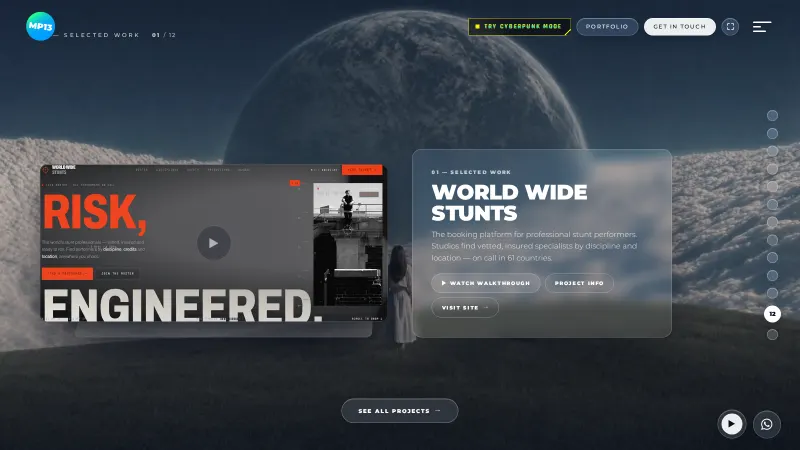
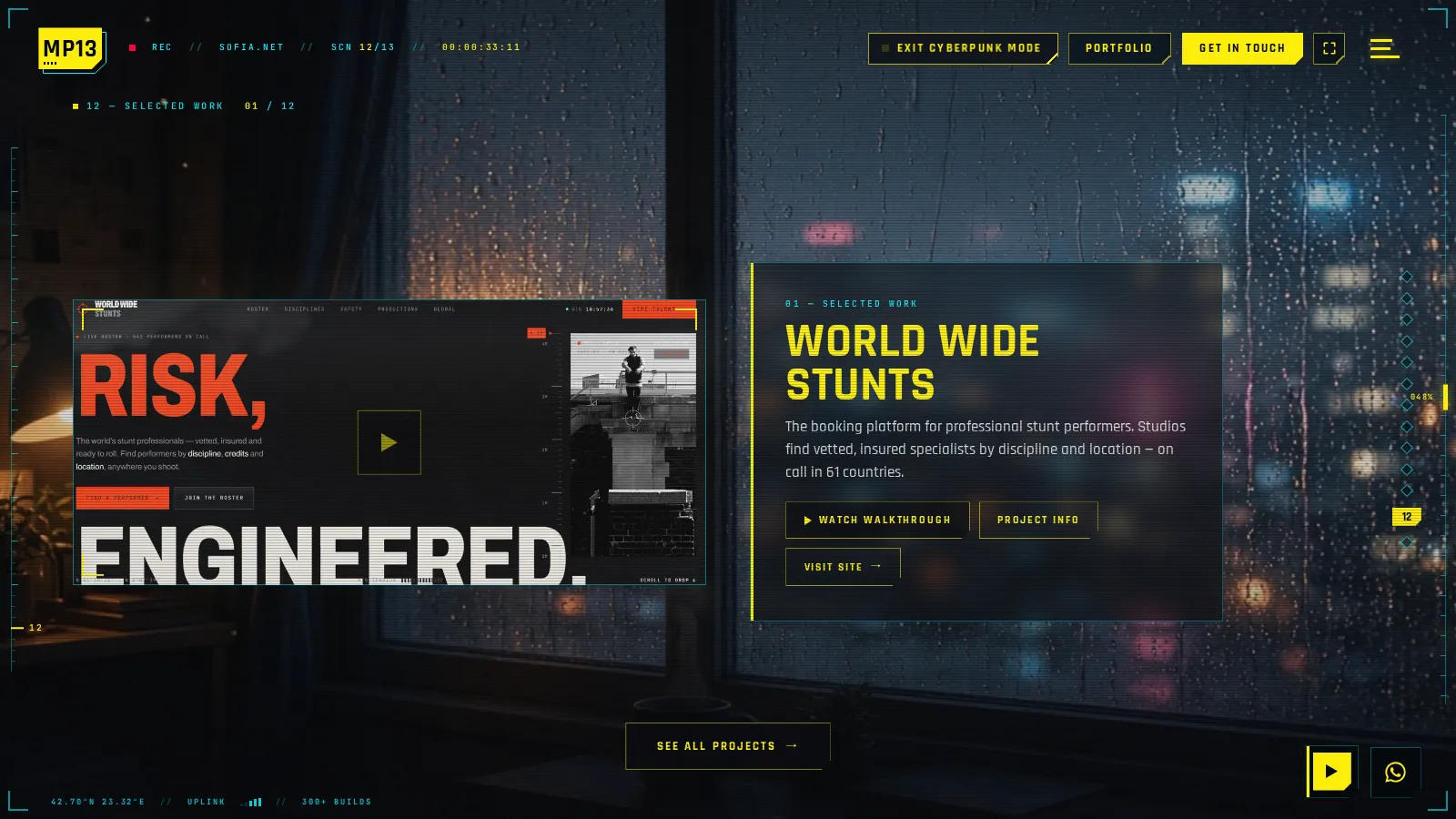
Buttons wipe their yellow fill in from left to right, with a short RGB-split jolt as it lands. And the featured work carousel no longer turns like a glass ring. That smooth ring belongs to the calm look. In Cyberpunk mode, projects cut in and out one at a time with stepped glitch transitions, like a channel changing on a broken screen.
06
Thirteen films and a soundtrack
Every scene of the homepage got a new film, and so did the background of every inner page. All of them are free-licence clips from Pexels and Pixabay, re-encoded to load quickly, each with its own phone cut.
Choosing them was the most personal part. CGI was fine. Cosplay was not: anything that looked like people in costumes made the whole thing feel cheap. One scene had a group of people I simply didn't like, so they went. On phones, two clips were re-cropped by hand: one to keep a woman's face in frame, another to move the focus away from a billboard that dominated the shot. Those are exactly the decisions a person has to make. No algorithm would have flagged them.
The music took two attempts. The first was an embedded soundtrack from YouTube, and the embed looked awful on a phone. The second, which stuck, is a track hosted on the site itself: "Hard Cyberpunk" by Kulakovka, under the Pixabay licence. In Cyberpunk mode, the little radio player in the corner plays it instead of the usual Vanilla Radio stream. If you leave the mode mid-song, the calm station takes over.
07
What went wrong
Plenty, and quickly. That is the point of working this way.
The mouse wheel stopped working. In the first version, scrolling no longer moved between the homepage scenes. The cause was invisible: the full-screen layer carrying the scanlines and grain had quietly become something the browser treated as scrollable, and it was catching the wheel. One property changed, and the wheel came back.
The carousel lagged. Clipped corners and extra blur on the 3D carousel cards were too much for the browser to redraw on every frame. They came off the moving parts, and later the ring was replaced by glitch cuts anyway.
The inner pages went black. A background colour meant for the page was painted over the background film. Moved one level up, the film came back.
The HUD collided with the buttons. On project pages with long names, the readout ran into the header. It was shortened, given a maximum width, and the network name now appears only on the homepage, where there is room for it.
None of these took long. Each was found because I was using the site on real devices while it was being built, said what felt wrong, and had a fix minutes later. That loop of build, feel, react and fix is the whole method.
08
Why bother
A fair question. No client asked for this, and it doesn't sell a product.
It does three things for me. It keeps me sharp: a skin forces you to understand every component of your own site, because you have to restyle all of them. It shows range: a visitor who has seen the calm side and then presses the yellow button understands that the quiet sites I make are a choice, not a limit. And it is fun. Creative work needs outbursts like this, things you make because you want to see them exist.
It also proves something about working with AI. Two days, one designer and one AI collaborator, and the result is a second, complete visual identity across every page of a live site, on desktop and phone. A few years ago that would have been a project for a team, with a budget and a timeline measured in months. Now it can start as an idea one evening and be live by the next. I wrote more about how that partnership works in Not a replacement. A collaborator.
AI-coded, human-designed. The machine wrote every line. Every decision about how it should feel was mine.
09
What I would tell another designer
If you are tempted to build something like this, a few things I learned the fun way:
- Write the rules before the effects. Which colour means what, which shape every panel takes, where red is allowed. Effects without rules turn into noise very fast.
- Glitches need rhythm. A glitch works because most of the time nothing is broken. Keep the calm bits calm, and the occasional break will feel electric.
- Test with your thumb. Half of the fixes above were found on a phone, on the sofa, not on a big monitor. Phones are where an effect turns from impressive into irritating.
- Curate ruthlessly. One cheap-looking clip drags the whole thing down. Deleting is part of the design.
- Make the exit perfect. A skin people can't leave cleanly is a trap, not a feature. Turning Cyberpunk mode off returns the site exactly as it was, with nothing left behind.
- Keep the layout sacred. When everything else changes, people find their way by where things are. That is what lets a skin be wild without being confusing.
10
Funky, for clients too
The loud side isn't only for my own site. Some brands need it.
World Wide Stunts speaks the language of a film shoot: a systems check before the hero rolls, camera overlays, a live clock and a signal orange for everything you can act on. Rogue Supplements is loud where it sells, with dark full-bleed grounds, neon green and magenta, and a headline as large as the screen allows. The Carlos Alcaraz fan site changes court surface as you scroll, from Melbourne hard court to Paris clay and London grass, with a tennis ball travelling alongside you and a scoreboard in the header counting the sets and games.
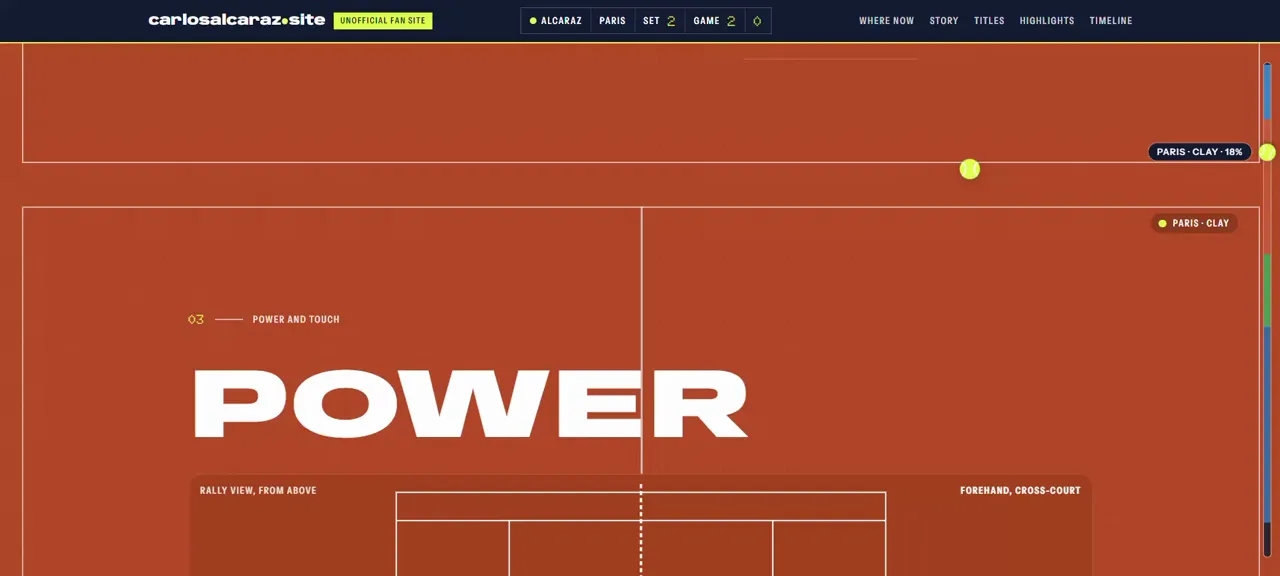
Hyper-funky or quiet and elegant, it starts in the same place: what should this feel like? Then we build it. The quiet side has its own story in Dark glass and quiet luxury.
11
Try it
If you are reading this in the calm look, press Try Cyberpunk Mode at the top of the page. If you are already in it, welcome, choom. Exit Cyberpunk Mode takes you back.
And if your brand deserves something bolder than a template, let's talk.