What lies ahead — 06
Make the web feel expensive: twelve website effects for agencies
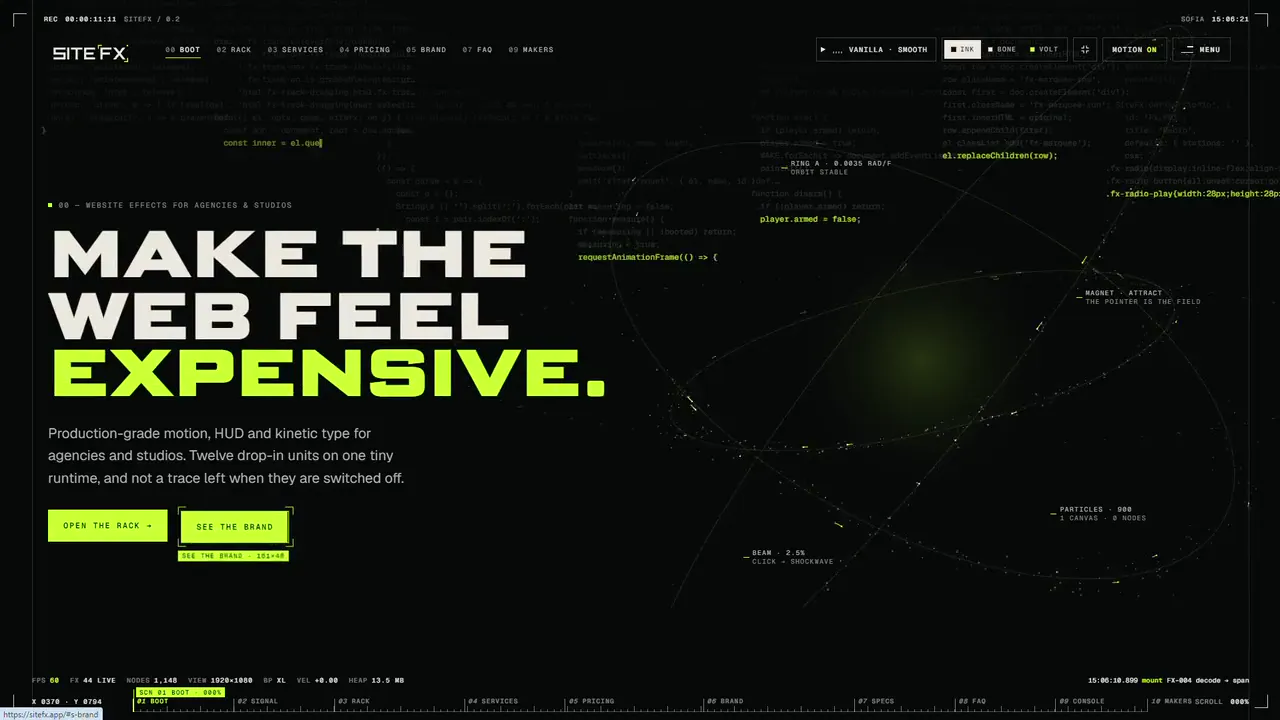
Clients ask for a site that feels expensive. Deadlines ask for something you can ship by Friday. SiteFX is how I stopped choosing: twelve production-grade website effects that drop into any build with one HTML attribute, on a runtime of 8.1 KB. Here is what it is, why I made it, and how you can try every effect for free.
01
The first second
A visitor decides in under a second whether a business looks like the real thing. Motion, scale and light deliver that verdict before anyone has read a word. Every agency knows this, which is why the same conversation keeps happening. The client sends a reference site, one with type that unfolds and a cursor that seems to think, and says: like this, but ours.
Then reality arrives. The budget covers a beautiful design. It does not cover three weeks of motion engineering. So the site launches with a polite fade-in, and a promise to add the cool stuff in phase two. Phase two never comes.
The other road is an animation plugin or a page builder's effects panel. They are quick, and they all look the same. They also tend to bring a heavy script to every page, whether anything on that page moves or not. The result is a site that loads slower and still feels like a template.
I have lived in that gap for years. SiteFX is what I built to close it.
02
Where it came from
I have built more than 300 sites since 2018, and I kept building the same things. The falling code behind behub.dev. The film-set HUD on World Wide Stunts, with its timecode and camera overlays. The headings that decode out of noise in this site's Cyberpunk mode. Lock-on cursors, kinetic headlines, smooth scroll that does not fight with everything else on the page.
Each one was built for one client, and each time it got a little better, because each time a real project found a new way to break it. By the third or fourth round, the sensible thing was obvious: stop rebuilding them and rack them.
That is the rule behind SiteFX. Every unit started life on a real client site. None of them is a demo that only works in a demo. And every effect ships as one file with a written contract: what it needs, what it costs, and what it leaves behind.
03
One attribute, one script tag
There is no React here and no build step. You add one script tag to the page, then a data-fx attribute on the element you want to move. Put data-fx="split flex" on a headline, and it rises into place, then swells toward the pointer on the width and weight axes of a variable font.
The runtime is plain JavaScript, 8.1 KB gzipped, with no dependencies in the core. It loads each effect only when the page uses it, and each one weighs between 1 and 5 KB. GSAP and Lenis come along only when an effect actually needs them. It works in plain HTML, Laravel and WordPress, and it follows DOM changes made by Livewire, Inertia or Turbo, so effects keep working in sites that swap their pages without a reload.
For an agency, that means something simple. Your developers do not learn a framework. They add an attribute.
04
The rack
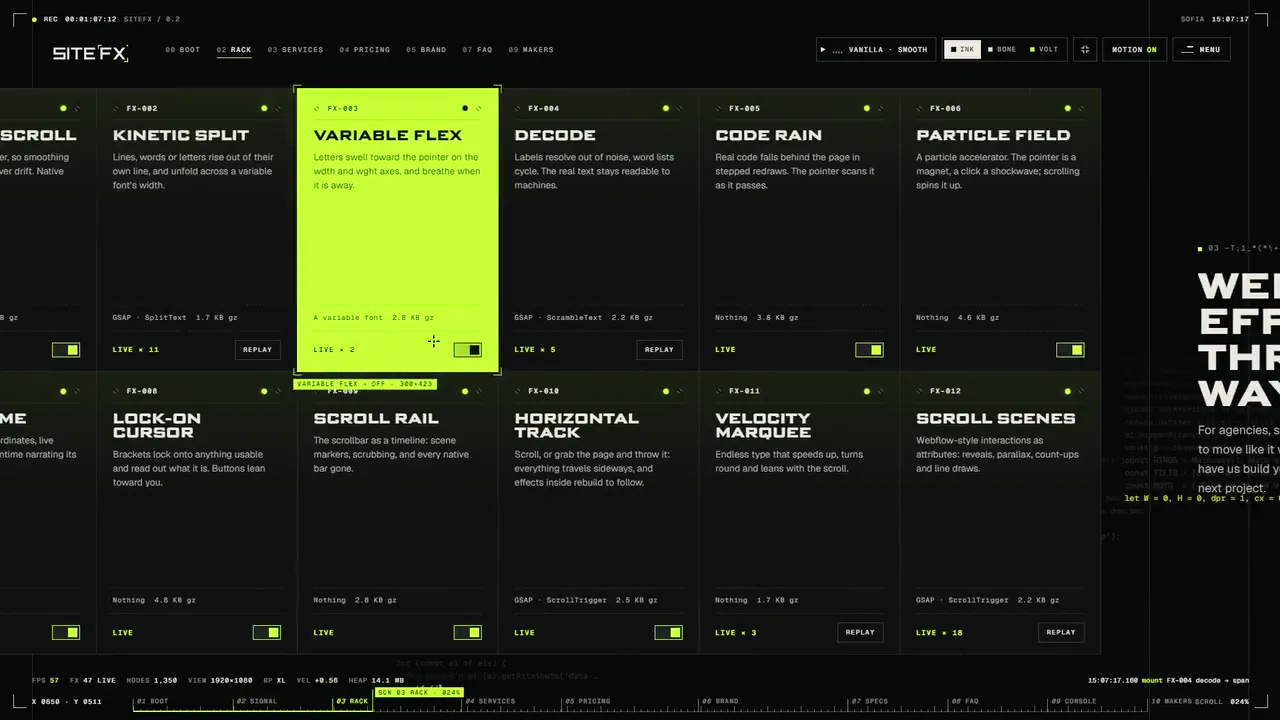
Twelve units, each one a small, finished thing:
- Smooth Scroll. Lenis on GSAP's ticker, so smoothing and scroll scenes never drift apart. Native scroll stays underneath.
- Kinetic Split. Kinetic typography: lines, words or letters rise out of their own line, and can unfold across a variable font's width.
- Variable Flex. Letters swell toward the pointer, and breathe when it is away.
- Decode. Labels resolve out of noise and word lists cycle, while the real text stays readable to machines.
- Code Rain. Real code falls behind the page in stepped redraws, and the pointer scans it as it passes.
- Particle Field. A particle accelerator. The pointer is a magnet, a click a shockwave, and scrolling spins it up.
- HUD Frame. Timecode, clock, coordinates, live telemetry, and the runtime narrating its own events.
- Lock-on Cursor. A custom cursor whose brackets lock onto anything usable and read out what it is. Buttons lean toward you.
- Scroll Rail. The scrollbar becomes a timeline, with scene markers and scrubbing.
- Horizontal Track. Horizontal scroll you can also grab and throw, with everything inside rebuilding to follow.
- Velocity Marquee. Endless type that speeds up, turns round and leans with the scroll.
- Scroll Scenes. Webflow-style interactions as attributes: reveals, parallax, count-ups and line draws.
05
The site is the demo
I did not want to make a page of GIFs. A motion library that needs a video to prove itself has already lost the argument, so sitefx.app runs everything it sells, live, on the page you are reading.
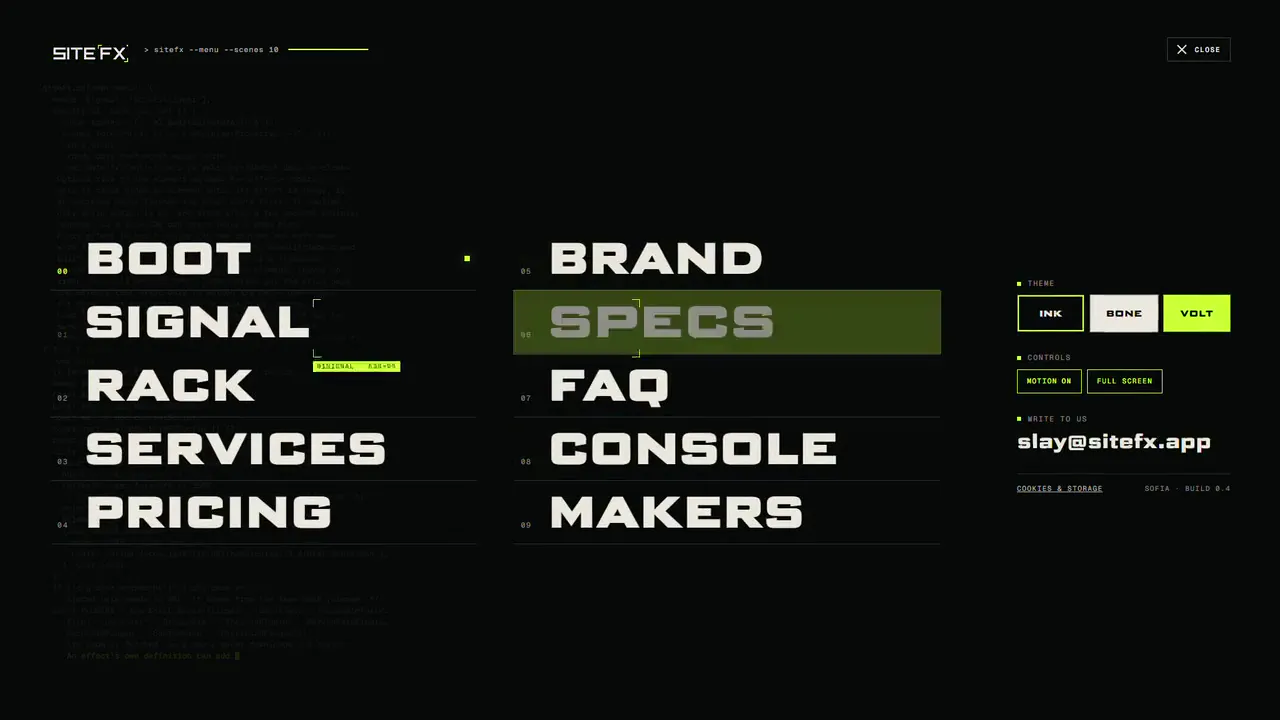
It opens with a boot sequence, then drops you onto a horizontal track of ten scenes. You can scroll through it, or grab the page and throw it. In the hero, hold down on the collider to charge it, then let go. The menu is a terminal command. Every screen sits inside a HUD showing the frame rate, how many effects are running and the runtime logging its own events as they happen.
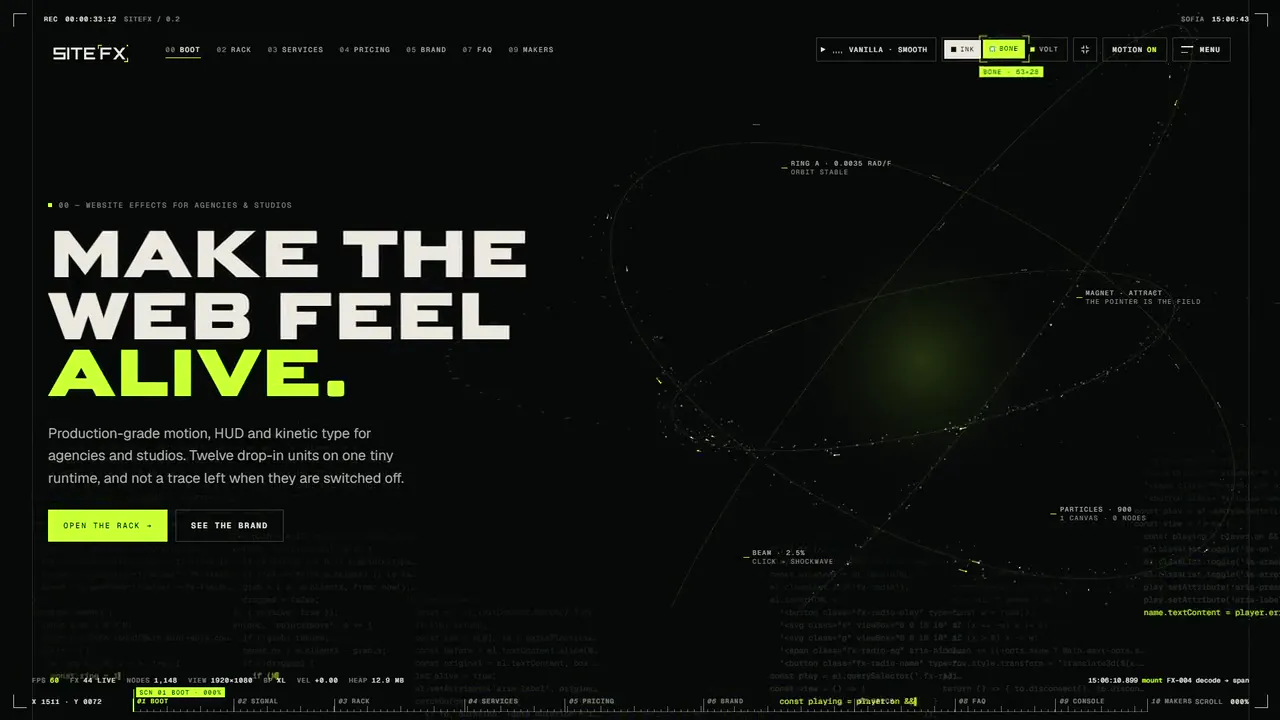
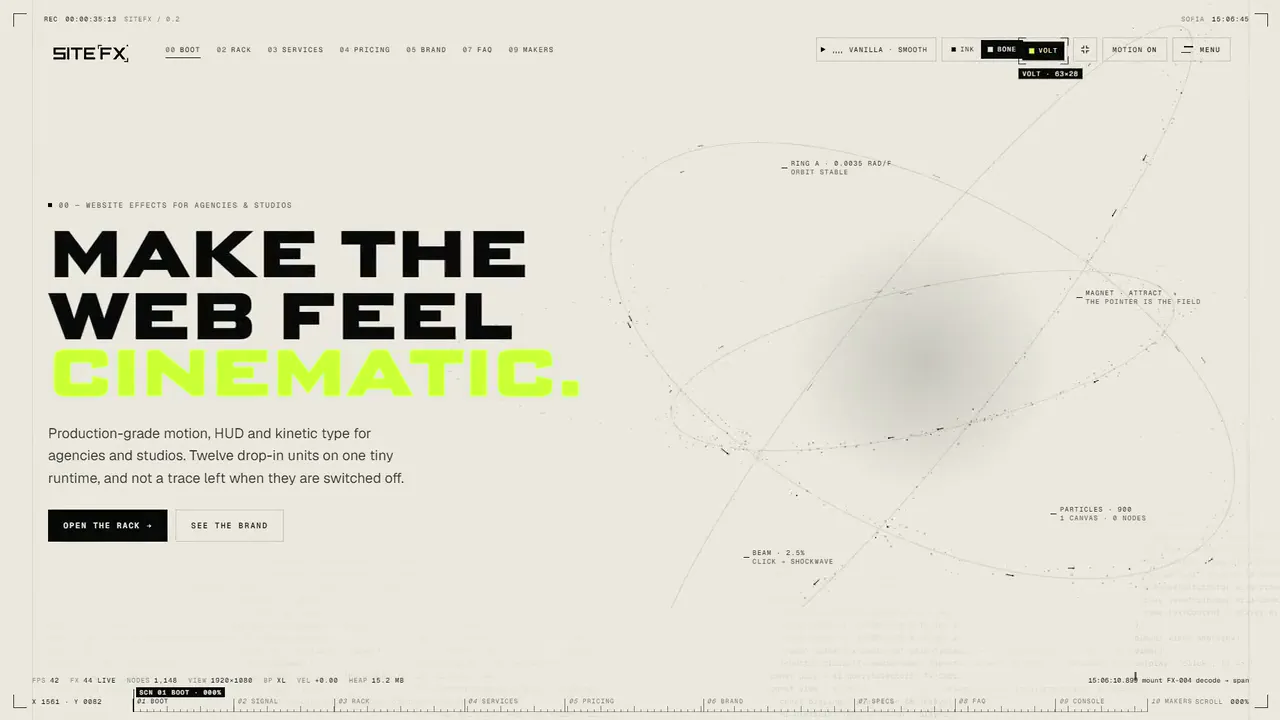
The rack is the part I enjoy most. Each unit has an LED wired to the runtime. Switch one off and it tears down completely, then comes back clean when you switch it on again. You are not watching a video of a toggle. You are switching off the actual effect running on the actual page.
06
Leaves no trace
Careless motion is worse than no motion. It makes sites slow, it makes people dizzy, and it gets in the way of the keyboard. So the boring parts got as much attention as the beautiful ones.
Every effect respects the reduced-motion setting on a visitor's device. Every effect keeps the real text in the page, so screen readers and search engines read a normal sentence while a person watches the letters fly in. Canvases go to sleep when they are off screen. Nothing runs for visitors who have asked for less movement, and turning motion off settles the page into a calm, still version of itself.
The site has a whole scene for this, the Console: a live read of every running instance, with a switch that tears all of it down in front of you. "Leaves no trace" is not a slogan. You can test it yourself.
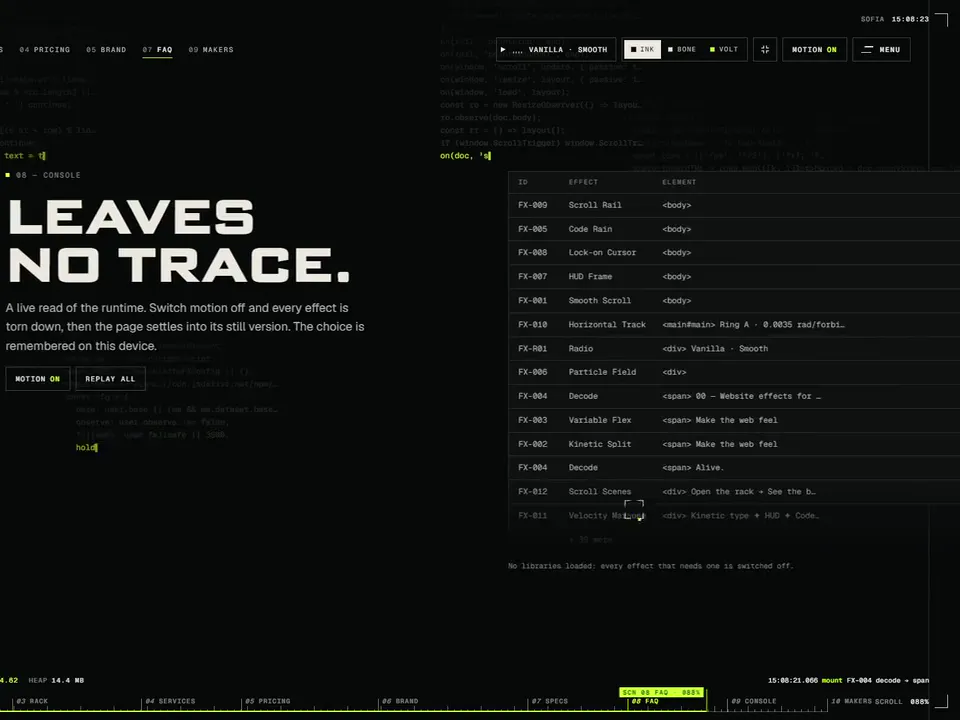
That matters more to agencies than it might seem. When an effect can be removed cleanly, it is safe to try it. You can add it for a pitch and take it out the next day without leaving anything behind in your client's code.
07
A free AI prompt for every effect
This is the part I am most curious to see people use.
Every effect comes with a free AI prompt. Paste it into your AI coding tool and it builds that effect in your own stack. The prompt carries the behaviour, the build, and the traps we hit in production, such as when to split the text so that late-loading fonts do not break the layout. It is free for pitches and personal work.
It fits how I work. Every site I build today is AI-coded, with a human touch and human design, and I have learned that the value of a good prompt is the experience inside it. The AI writes the code. Knowing what breaks on a real site on a real phone is the part that took years.
So try it for free. If an effect earns its place in a client project, the licence gets you the production unit and the updates.
08
Plain pricing
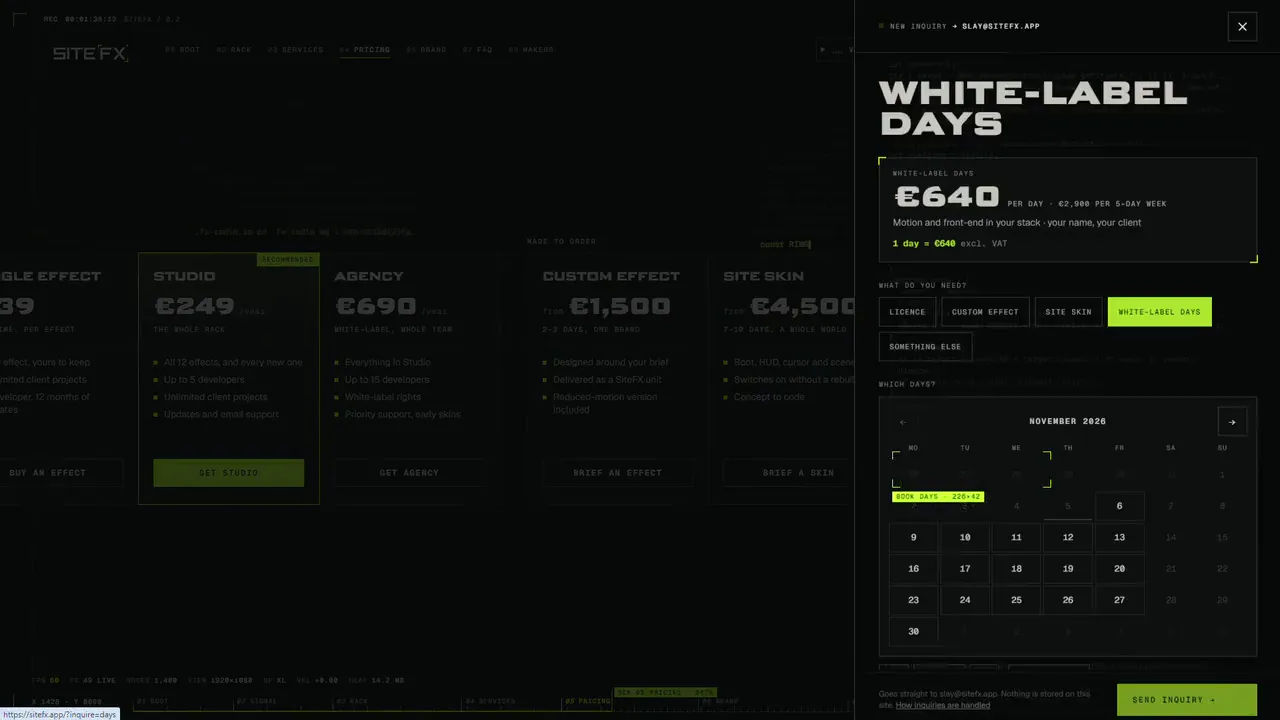
No "contact us for a quote" on the rack. Prices are in euro, excluding VAT:
- Free. A live demo and an AI prompt for every effect, for pitches and personal work.
- Single effect, €39 once. One effect, yours to keep, for one developer, with 12 months of updates.
- Studio, €249 a year. All twelve effects and every new one, for up to 5 developers.
- Agency, €690 a year. Everything in Studio for up to 15 developers, with white-label rights and early skins.
Every paid licence covers unlimited client projects. One Studio licence pays for itself the first time it saves a developer an afternoon.
09
When you need something made to order
The rack covers most projects. Some brands deserve a world of their own, and that is where the made-to-order side comes in.
A custom effect starts at €1,500 and takes two to three days. A full site skin starts at €4,500 and takes seven to ten days: boot sequence, HUD, cursor and scenes, designed from the client's own story, whether that is a film set, an airport or a terminal. It switches on without a rebuild, which is exactly how Cyberpunk mode works on this site. And if you simply need senior hands on the parts of a site that move, white-label days are €640 a day, in your stack and under your name.
10
What I would try first
If you run an agency, take the next pitch on your desk and try this. Add Smooth Scroll, Kinetic Split on the main headline, and the Lock-on Cursor. That is three attributes. Show the client that version next to the flat one, and watch which one they ask questions about.
Motion will not rescue a weak design. But a good design that moves well feels like a different product, and until now that difference has been expensive.
A good design that moves well feels like a different product.
11
Open the rack
Everything is live at sitefx.app. Open the rack, switch the units on and off, throw the page around, and charge the collider. Then see what each effect costs.
Studios and agencies get early access first, so if you build sites for clients, this is a good moment to look. And if you would like the full tour first, the SiteFX case study has a complete walkthrough.
Go on. Make something feel expensive.